Monitoring, evaluation and reporting
Field data in. Donor‑ready report out.
Define your indicators once. Each reporting period, Nuru brings in the field data, computes every indicator against its target, can draft the narrative, and produces a report ready for donors.
The demo opens a fictional programme with no sign-up. It closes 24 hours after you open it and is deleted after that.
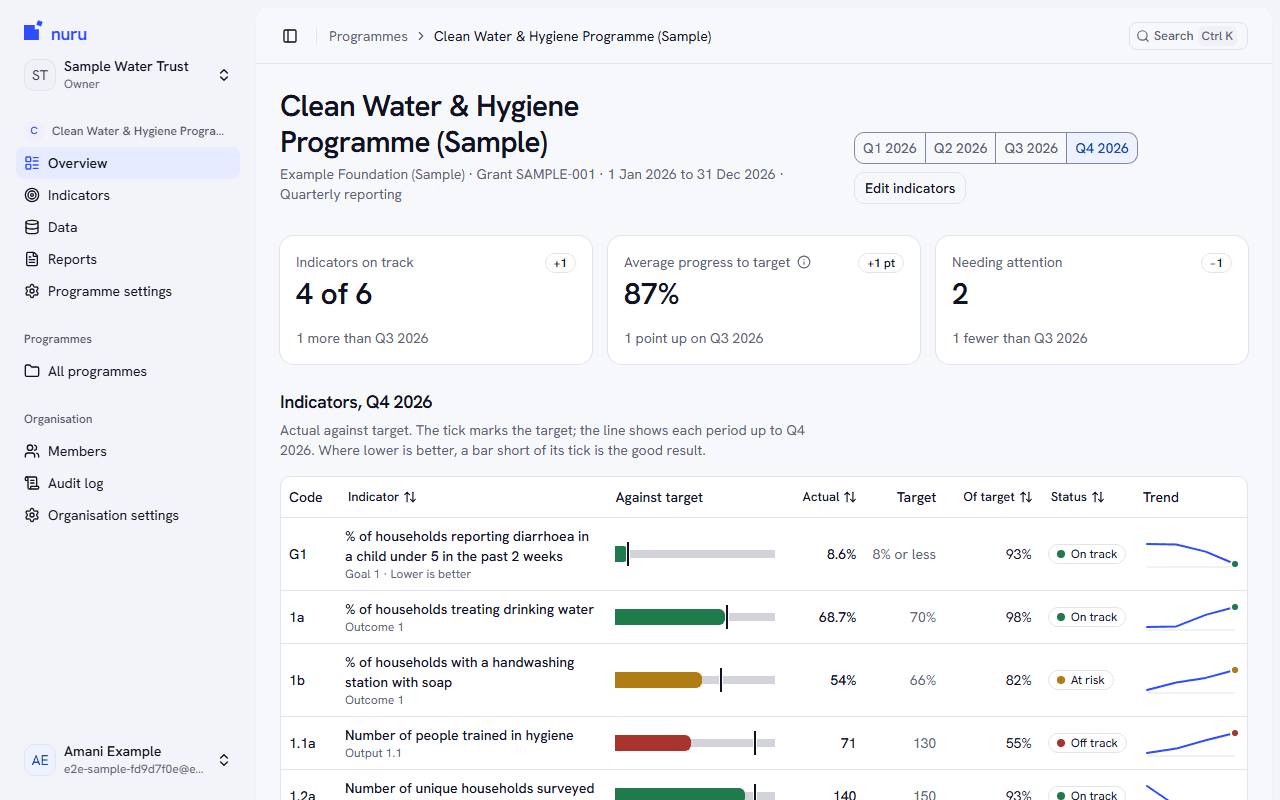
Who it is for
Built for programme teams and donors
What your team does
- Connects KoboToolbox or uploads a spreadsheet
- Defines each indicator once, against the logframe
- Reviews the computed figures and the optional AI draft
- Finalizes the report when it is right
What your donor receives
- It opens as a PDF, as a Word file, or as a page from a link that needs no account
- The figures are the ones from the day you finalized, and groups below your threshold show as <5
- The link can be turned off, or set to expire, whenever you choose
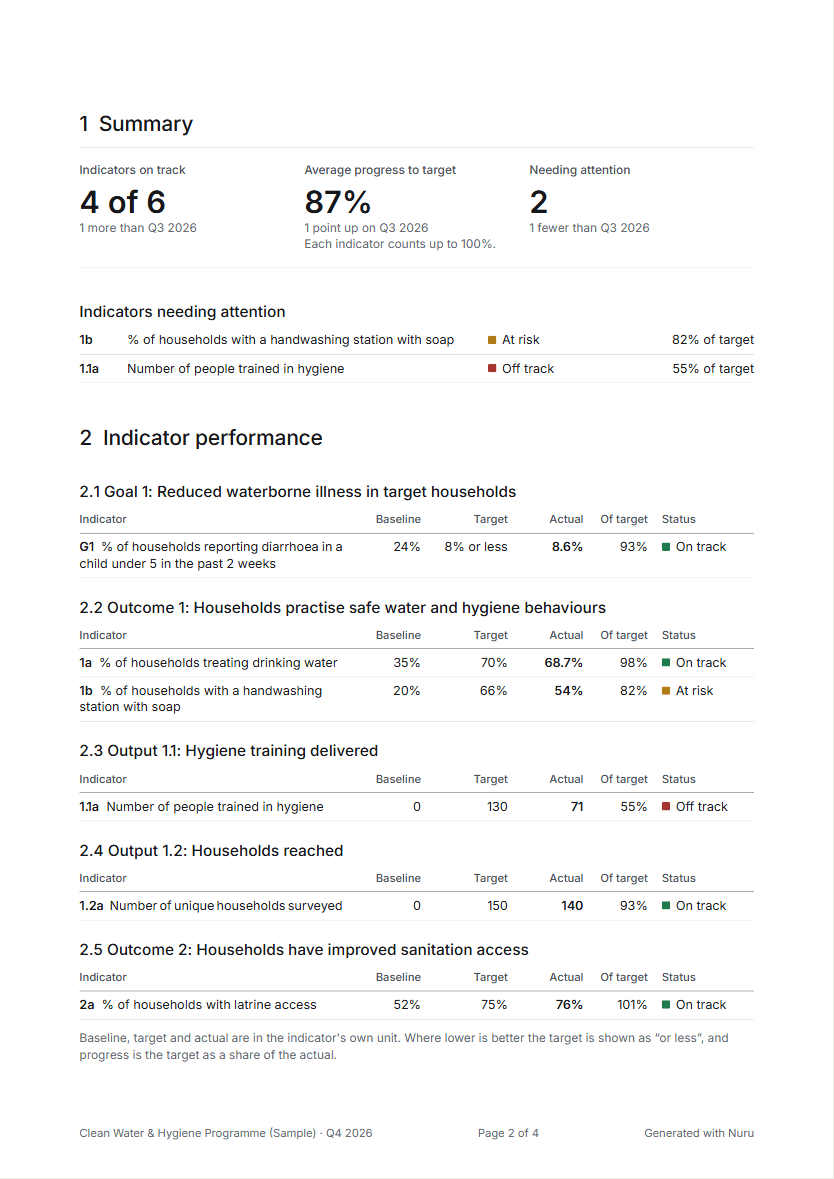
How it works
The reporting cycle
Four steps, each shown as it looks in the sample programme. The pictures are crops of the product, at close to full size.
Step 1
Collect
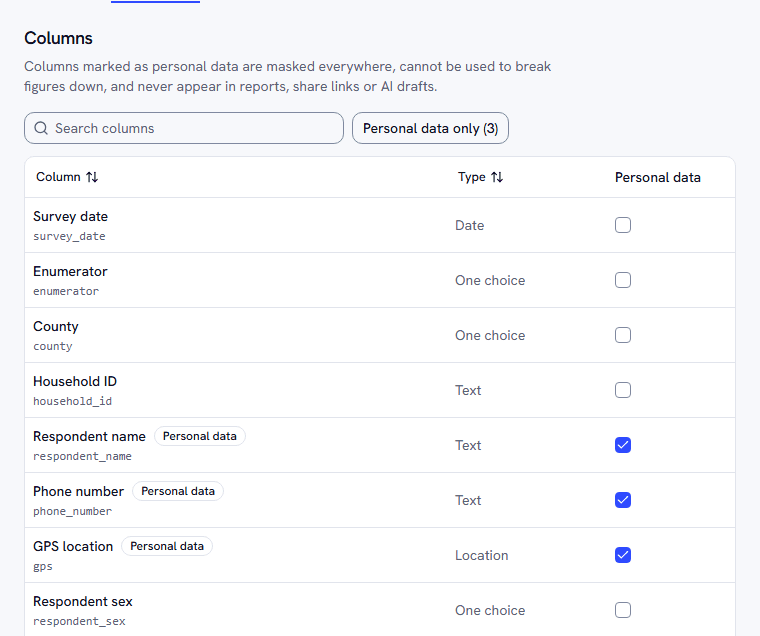
Connect KoboToolbox or upload a CSV or Excel file. Records are placed in reporting periods by the date you choose.
- Upload the same file twice and no record is added twice
- Columns that look like personal data are flagged the moment they arrive
- Sync a KoboToolbox form again whenever new records come in, or turn on a daily sync
Step 2
Calculate
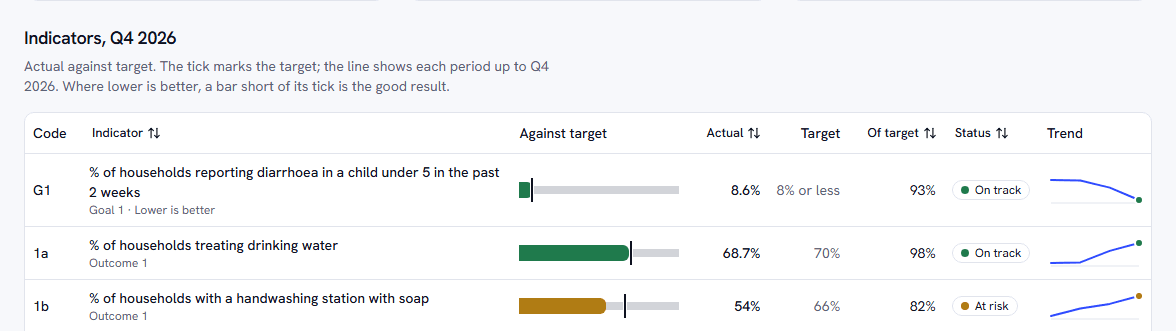
Define each indicator once against your logframe. Nuru works it out for every reporting period and compares it with its target.
- Every figure shows how it was calculated, in words
- Break figures down by county or sex, never by personal data
- A manual correction keeps its reason and the figure it replaced
Step 3
Draft
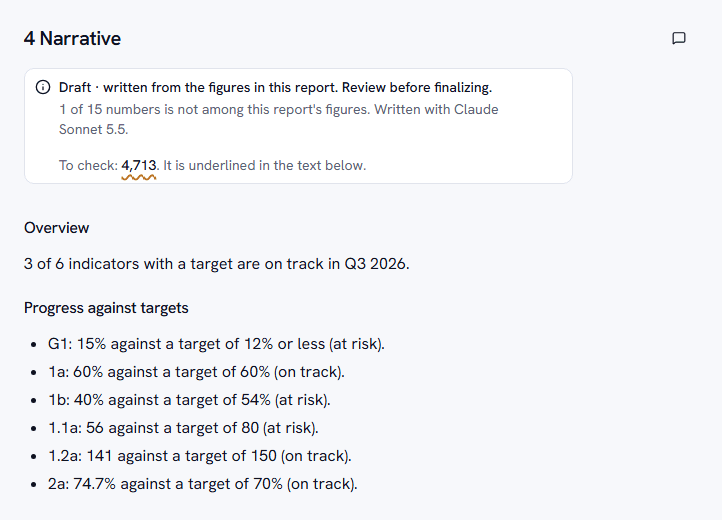
Optionally have Claude draft the narrative from the figures alone, then review it. It uses your organisation's own Anthropic account, and it is off until you add a key.
- Every number in the draft is checked against the report's figures, and any it cannot find is underlined
- Where only your team can explain a gap, the draft leaves a placeholder for you to replace
- A report cannot be finalized while a placeholder is left
Step 4
Deliver
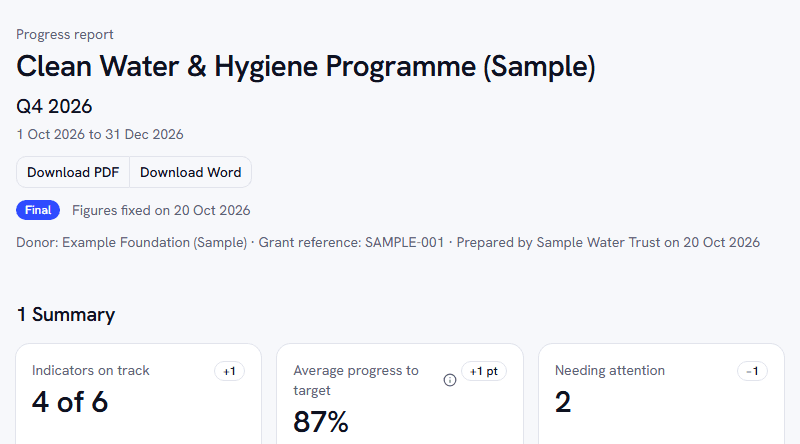
Finalize to freeze the numbers, then download a PDF or a Word file, or share a read-only link. The donor needs no account.
- A finished report cannot change, whatever happens to the data afterwards
- A share link opens one report, can expire, and can be turned off
- The PDF and the page the donor opens are laid out the same way; the Word file has the same text and figures, with the charts as tables
Delivery
Three ways to hand over one finished report
- A PDF
- A Word file
- A read-only link
Data protection
How your data is protected
What the product does, what its tests check, and one limit.
Personal data is flagged and masked
Columns that look like names, phone numbers or locations are flagged when data arrives, and you can flag any other. Flagged columns are masked in every preview, cannot be used to break a figure down, and never appear in a report, a share link or what is sent for AI drafting.
Reports hold figures, not records
A report is made of aggregates. The records themselves are not in it, in a share link, or in the text sent to the AI.
Small groups are hidden
A breakdown that rests on fewer records than your threshold (5 unless you change it) shows as <5 instead of a number. One limit: if only one group in a breakdown is hidden, someone who has the total and the other groups could work its figure out by subtraction.
Final means final
Finalizing freezes the figures and the text. A share link shows only that frozen copy, so later changes to the data cannot reach a donor.
Each organisation's data stays apart
Every record belongs to one organisation, and every read and write is checked against it. Automated tests try to cross from one organisation to another.
Your tokens and keys stay yours
KoboToolbox tokens and your Anthropic key are stored encrypted and are never shown again. Nuru has no AI key of its own, so AI drafting is billed to your account, and only if you turn it on.
See it with a sample programme
Create an account and start from a fictional water and hygiene programme with a year of survey data. Its indicators and a draft report are ready; finalize the report to try the PDF, the Word file and a share link.